Use this free schedule maker to organize classes, work shifts, study sessions, and everyday routines in one weekly timetable. Add activities, choose colors, and move each block to the right day and time. Download your finished schedule as a PNG, print-ready PDF, or ICS file for your calendar.
No sign-up or watermark. Your editable draft is saved in this browser on this device.
Try a starting point:
My weekly schedule
TimeMonTueWedThuFriSatSun
8am9am10am11am12pm1pm2pm3pm4pm5pm6pm7pm
0/100 activities · Drag the dotted handle to move an activity, or click it to edit.
Download or print your schedule
Save a picture, print your plan, or add it to your calendar.
One draft is saved in this browser. PNG and PDF are generated on your device. ICS generation sends event details to our server without storing them. Privacy details
How to use the schedule maker
1. Add your activities
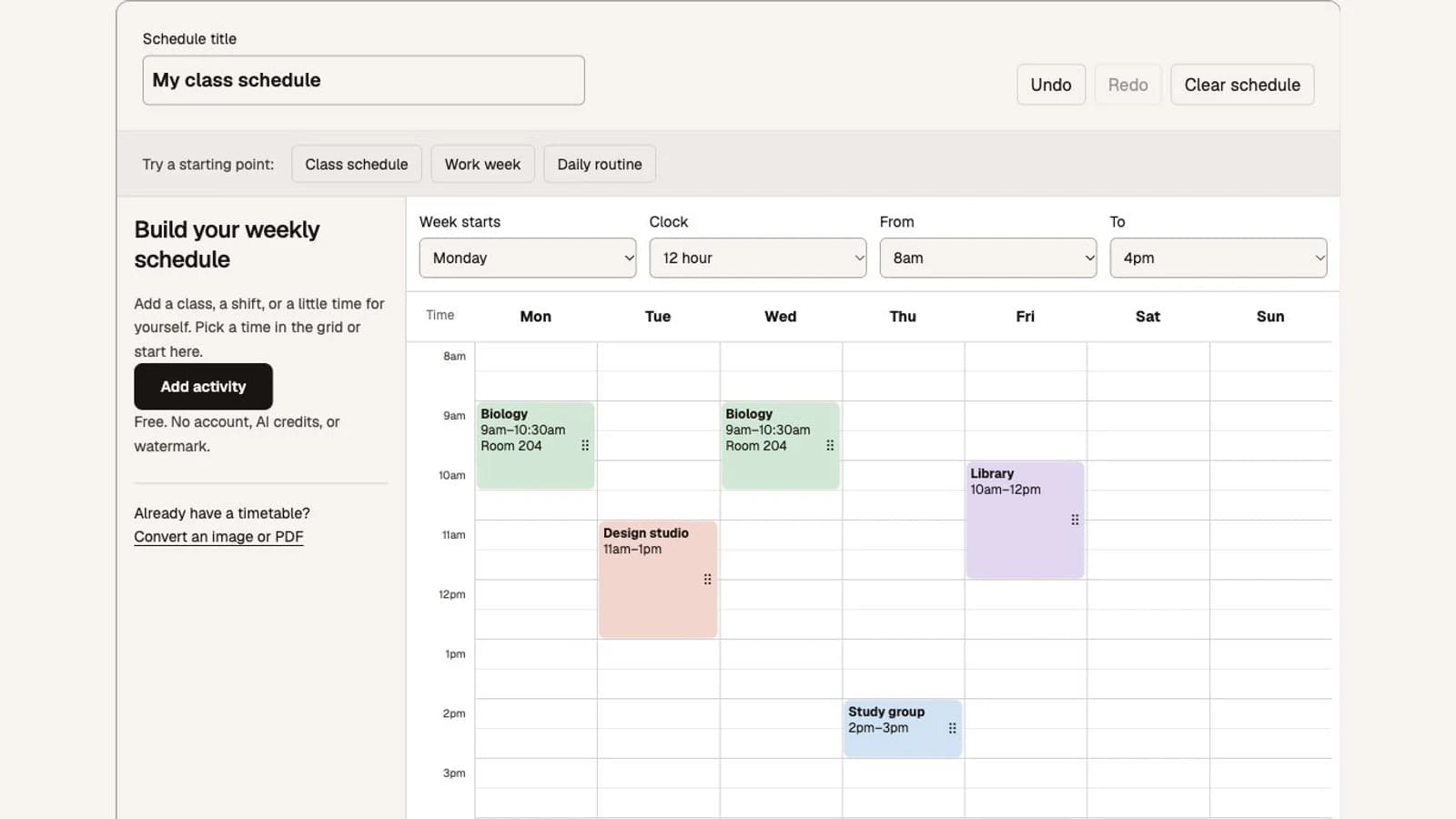
Start with a blank week or choose an example schedule. Enter an activity title, select its weekdays, and set the start and end times. Add a location or notes when you need them. Selecting several days creates separate blocks that you can edit individually.
2. Arrange your week
Choose colors to distinguish classes, work, and personal plans. Drag a block’s handle to move it in 15-minute steps, or use the activity form to change its details. Overlapping activities appear side by side so you can spot conflicts.
3. Download your schedule
Save a PNG to view on your phone, download a landscape PDF for printing, or export an ICS file for your calendar. The weekly schedule maker keeps one editable draft in this browser; download a copy before clearing browser data or switching devices.
Example weekly class schedule shown in the actual tool. No private schedule data.
A schedule maker for classes, work, and daily routines
Classes and study sessions
Build a class timetable with lectures, labs, study groups, and independent study. Add a class to several weekdays, then adjust individual blocks when the room or meeting time changes.
Work and overnight shifts
Plan meetings, focused work, and shifts in the same weekly view. Use Ends next day for an overnight shift; the schedule displays its continuation on the following day, including Sunday into Monday.
Daily routines and family plans
Give exercise, meals, appointments, and family activities a place in your week. Use all-day activities for days off or reminders without a specific start time.
Add your weekly schedule to a calendar
A printable weekly schedule shows a repeating plan, while calendar events need actual dates. Before exporting ICS, choose the Monday of the first week, confirm the timezone, and select how many weeks to include. One week creates individual events; multiple weeks create weekly recurring events.
Google Calendar
On a computer, open Settings → Import & export. Select your ICS file and destination calendar, then import and check the first week.
Apple Calendar
On a Mac, choose File → Import and select the downloaded ICS. Choose a destination calendar and confirm the times.
Outlook
In Outlook on the web, choose Add calendar → Upload from file. Select the ICS and the calendar that should receive your activities.
Imported events are a snapshot. Editing this schedule does not update your calendar automatically. Use a separate calendar when trying an import, and check for duplicates before importing again.
Schedule maker FAQs
Is this schedule maker free?
Yes. You can create, edit, save, print, and export your weekly schedule for free, without an account, AI credits, or a watermark. Image and PDF recognition is a separate tool with its own trial and credit limits.
Can I make a class schedule or work timetable?
Yes. Add each activity with its day, start and end time, and optional location or notes. Choose several days when adding a regular class. Each day becomes an independent block so you can change one meeting without changing the others. Overnight shifts and all-day activities are supported.
Can I change colors and move activities?
Choose a color in the activity form. Drag a block’s dotted handle to move it to another day or time, in 15-minute steps. You can also click any activity, or use the activity list, to edit its day, time, duration, and details without dragging. Overlapping activities are shown side by side.
Can I download a printable weekly schedule?
Download a PNG image or a landscape PDF in Letter or A4. You can also use Print schedule to open your browser’s print dialog. Downloads contain the full weekly schedule, including activities outside the hours you initially chose.
How do I add my schedule to Google Calendar, Apple Calendar, or Outlook?
Choose the Monday of the first week, the number of weeks, and the timezone where your activities take place, then download ICS. One week exports single events; more weeks exports weekly recurring events. Import that file in your calendar app. This is a one-time copy, not a live sync; later edits here do not update imported events.
Will my schedule be saved?
One draft is saved automatically in this browser on this device. It is not attached to an account or synced across devices. Clearing browser data removes it, and private browsing may not retain it. PNG and PDF export happen on your device. ICS generation sends event details to our server without permanently storing them.
Can I start with a photo or PDF timetable?
Use our Screenshot to Calendar or PDF to Calendar converter to extract events from an existing file. Those are separate tools: their recognition results are not automatically imported into this manual schedule maker.